Guides / Why there’s no workflow export
Why can’t you export a GoHighLevel workflow?
Straight answer: because the feature doesn’t exist. There is no export button anywhere in the workflow builder, and the public HighLevel API doesn’t return the workflow’s step-tree either. This is a platform gap. It is not a permissions problem on your account, and it is not something an agency plan tier unlocks.
What the API sees vs what stays in the builder
GoHighLevel has a documented REST API. It lets you read contacts, opportunities, pipelines, calendars and more. Workflows appear in it only as thin entries: a name, an ID, a status. You can list them, enable or disable them.
What you can’t get is the inside of the workflow: triggers with their filters, branches with their conditions, wait steps, webhook URLs, email and SMS settings, custom values. That configuration lives inside the workflow builder app itself, not on the documented REST surface. When you open a workflow, the builder fetches the full step-tree into your browser session, but no public endpoint hands it over.
People have asked for years
This isn’t a secret or a niche complaint. HighLevel’s own public ideas board carries a request titled “Export/Import workflow as a JSON file” with 336+ votes, and comments reading exactly like what you’re thinking right now: “Why is this not already available?” As of writing, it still hasn’t shipped.
So if you went looking for the export button, checked your permissions, tried an admin account, and found nothing: there was never anything to find. Everyone who needs this is improvising.
The workarounds, compared honestly
| Method | What it captures | The catch |
|---|---|---|
| Screenshots | The shape of the flow; whatever settings happen to be open | Lossy. Filters, wait steps and custom values live behind dropdowns and never make it into the shot. |
| Account Snapshot | Everything: workflows, funnels, pipelines, fields | Heavy, and not readable: you can load chosen assets back, but can’t read or diff it. Needs agency access. |
| Browser extension reading the builder | Full step-tree as structured JSON, settings included, and restores it back into a workflow | Depends on GoHighLevel’s app staying stable; check an export before relying on it. |
Where each one fits: screenshots for a rough visual record of a tiny flow. Snapshots when you actually want a whole account cloned; we cover that trade-off in Snapshots vs real backups. And when the job is knowing exactly what a workflow says, whether for backing it up, moving it or auditing it, the third option is the only one that keeps every setting.
How the extension approach works
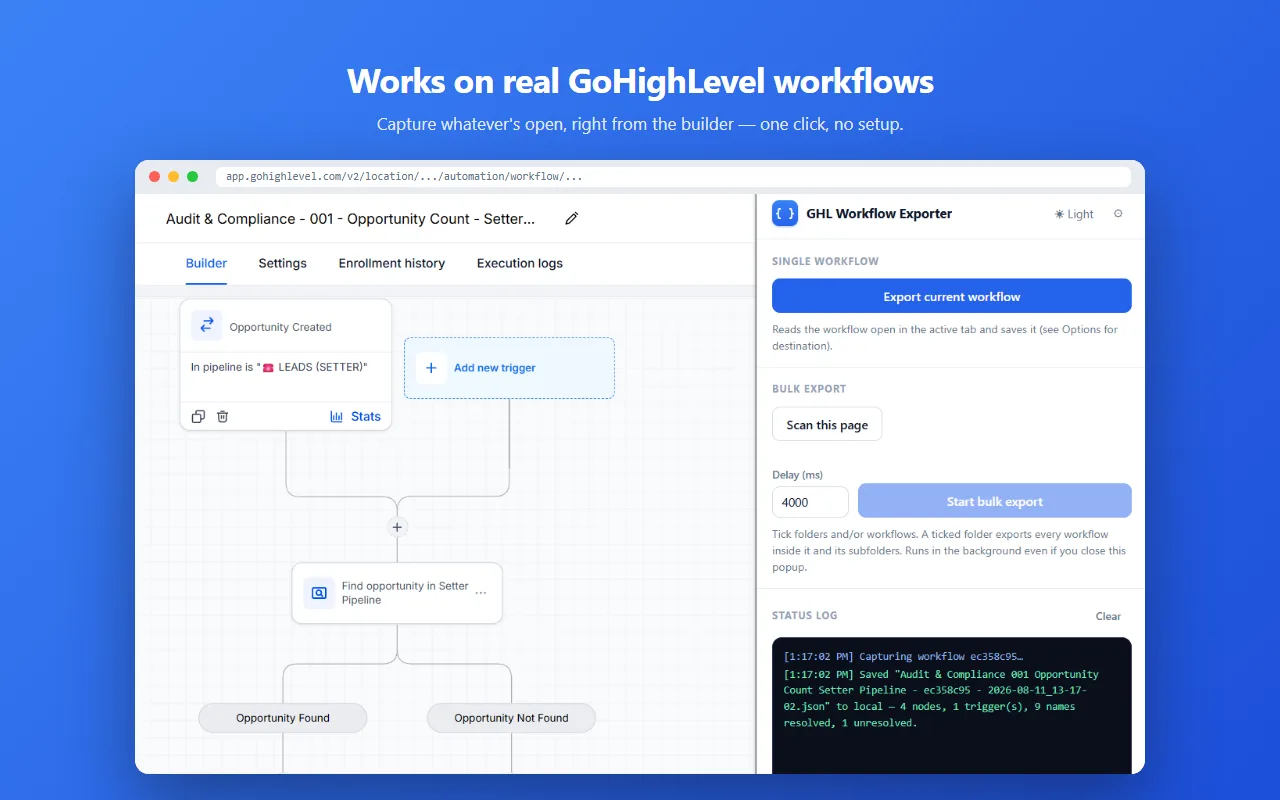
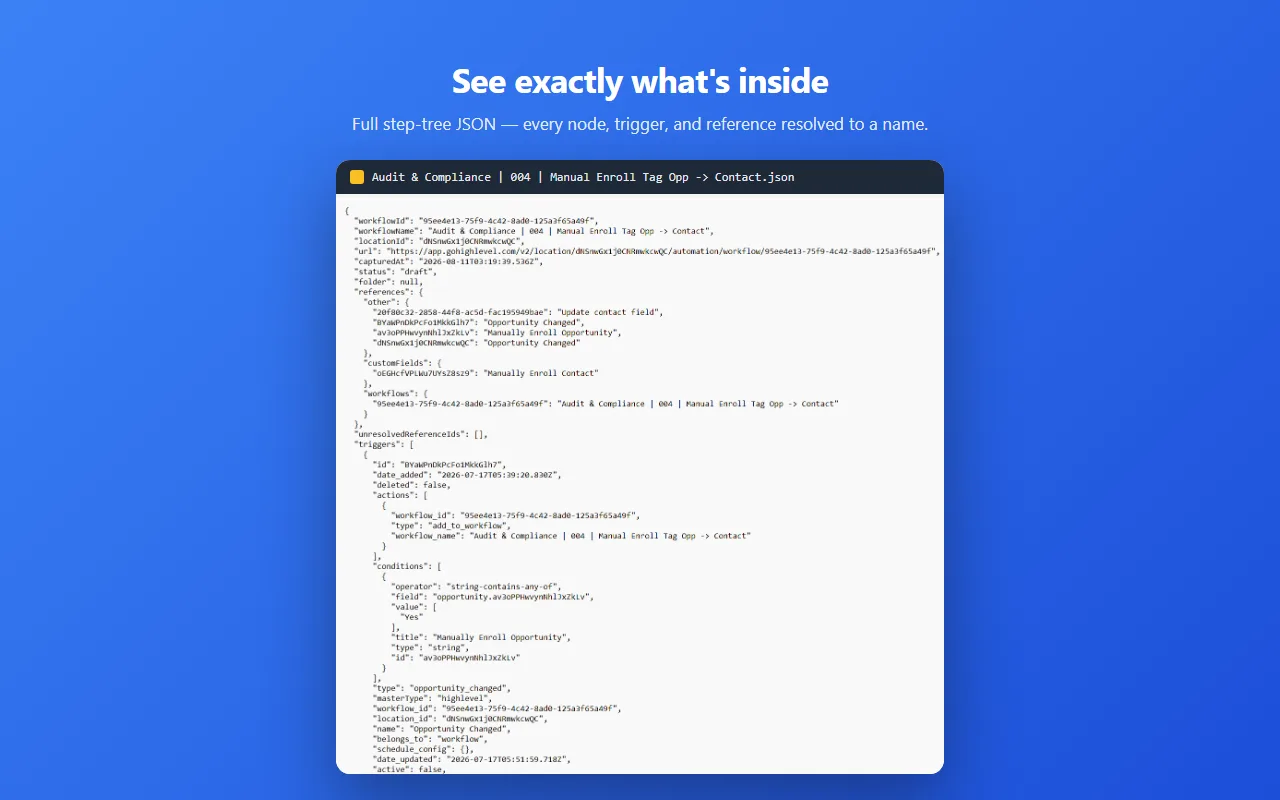
GHL Workflow Backup & Audit works inside your own logged-in browser session. When a workflow is open, the builder has already loaded its full step-tree, so the extension reads that same data, resolves internal IDs to real names using your own Private Integration Token, and writes clean JSON straight to your computer. Nothing touches anyone’s servers. One click, about ten seconds, and you have a readable, diffable record of the exact workflow the builder was showing.
What to do today
If you need a workflow out of GoHighLevel right now: install the extension, open the workflow, click the icon. The free tier covers 5 single exports, 1 bulk run and 5 single imports, with no card and no account. After that it’s $19.99 once, forever.
And if the reason you want the export is to move the workflow somewhere else, here’s how to copy it between sub-accounts by restoring that same JSON into the other account.
FAQ
Why can’t I export a GoHighLevel workflow?
No export feature exists, and the public API doesn’t return the workflow step-tree. It’s a platform gap, not a permissions problem on your account.
Is there any way to get a workflow out of GoHighLevel?
Indirectly, yes. Screenshots lose the settings, Snapshots move whole accounts, and a browser extension can read the builder’s data in your session and save the full step-tree as JSON.
Will GoHighLevel add workflow export?
The request has sat on their public ideas board for years with 336+ votes. As of writing it hasn’t shipped, and we won’t pretend to know if it will.
GHL Workflow Backup & Audit is an independent product. It is not affiliated with, endorsed by, or connected to GoHighLevel / LeadConnector.
More on this: all guides