
GHL Workflow Backup & Audit
GoHighLevel won't let you export a workflow. Or restore one. This does both.
5 single exports, 1 bulk export and 5 single imports free, no card. Then $19.99 one-time, no subscription.
A Chrome extension that pulls the complete step-tree of whatever GoHighLevel workflow you have open. Every node, trigger, branch and setting, saved as a clean JSON file: to your Downloads folder, to your own Google Drive, or both.
Chrome · Manifest V3
Installing may show a Chrome “not trusted by Enhanced Safe Browsing” notice. That is normal for a newly published extension. See the FAQ.
{
  "workflowId": "Xk3mPqA7LwQ9rT2vNzY8",
  "workflowName": "New Lead - Welcome Sequence",
  "locationId": "Qw7bFd2sHjK4uR8mTy1v",
  "capturedAt": "2026-08-22T14:30:02.114Z",
  "status": "published",
  "folder": "Client Onboarding",
  "references": {
    "pipelines": { "8hQ2xW": "Sales Pipeline" },
    "calendars": { "3jR7nV": "Discovery Call" },
    "tags":      { "p1M9cE": "hot-lead" }
  },
  "unresolvedReferenceIds": [],
  "triggers": [
    { "type": "contact_added", "filters": [ /* ... */ ] }
  ],
  "metadata": { "allowReentry": false, "stopOnResponse": true,
    "timezone": "America/Los_Angeles" },
  "nodes": [
    { "stepType": "wait", "minutes": 5 },
    { "stepType": "sms", "userId": "a4T...", "message": "...", "openai": null }
    /* ... full step-node array ... */
  ]
}Your automations have no undo
GoHighLevel gives you one editable copy of each workflow and no history. Someone changes a branch on Tuesday and by Friday nobody can say what it used to do. There's no export button, and the public API doesn't return the step-tree, so “back up your workflows” has meant screenshots and hope.
This reads the builder's own data and writes it out as JSON. Run it before you touch anything, and you have a file you can diff, archive, or hand to a client.
Then it puts the file back. Restore a workflow into any sub-account you can reach, or rebuild a whole one from a folder of backups. The undo GoHighLevel never gave you.
What the workflow JSON exporter produces
Screens from the extension itself, not mockups: capturing a live workflow, what lands in the file, bulk runs, and where exports go.
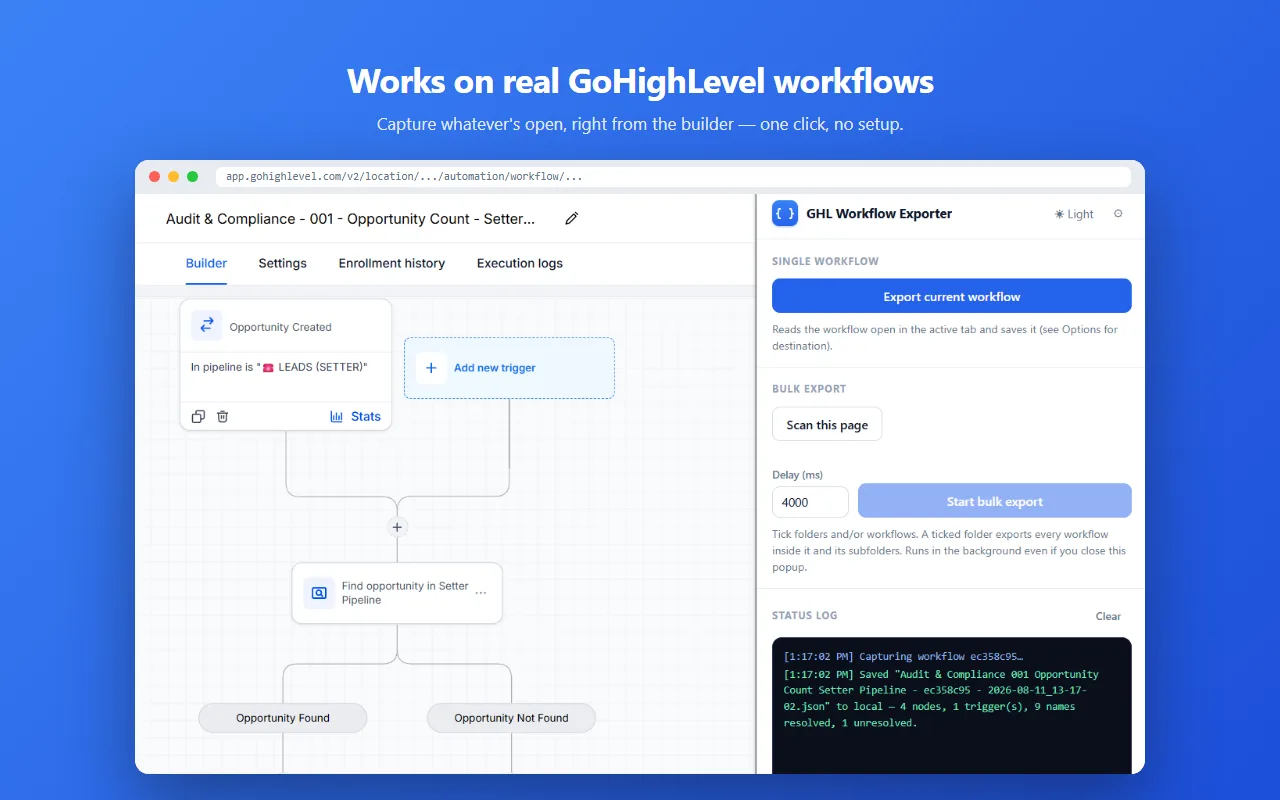
Works on real GoHighLevel workflows
Open a workflow, click the extension, done. No setup or API keys, and you never paste an ID.
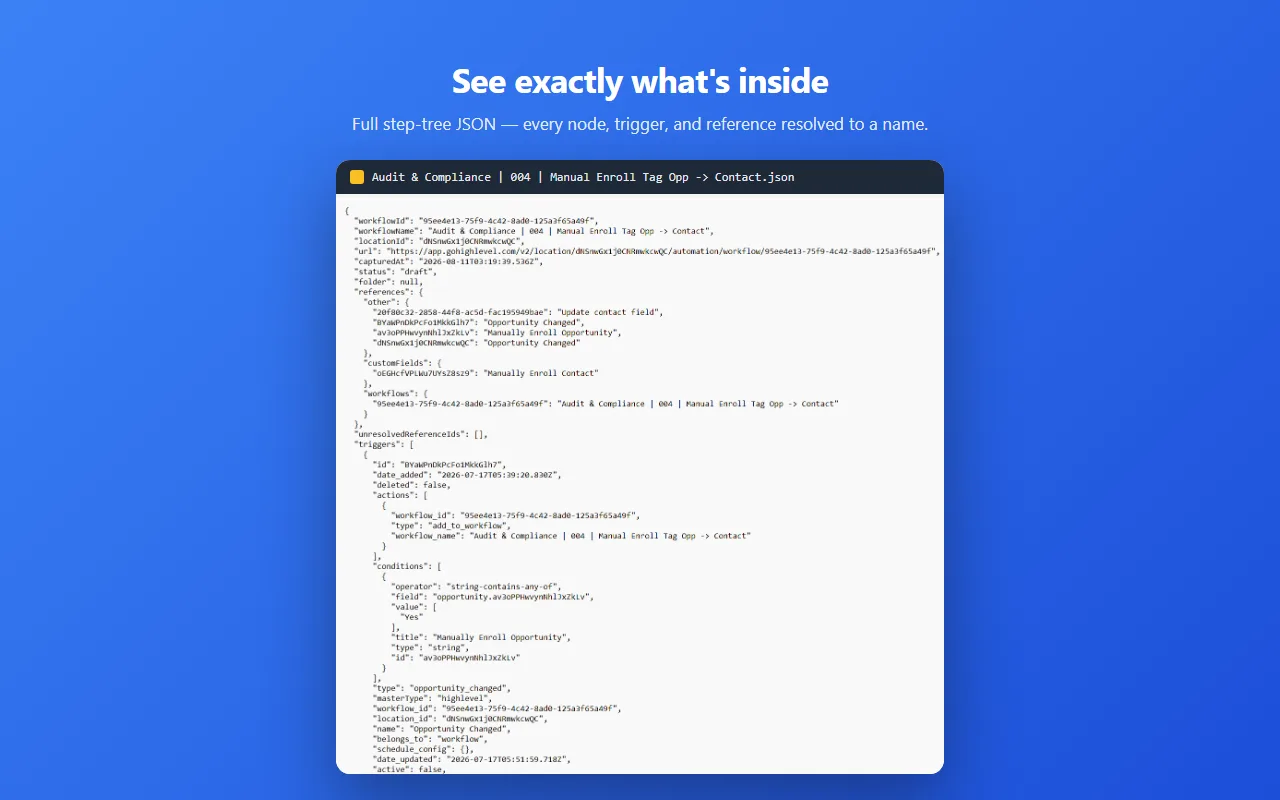
See exactly what's inside
The full step-tree: every node, trigger, and setting. Pipelines, calendars, tags and users show up as their actual names instead of raw IDs.
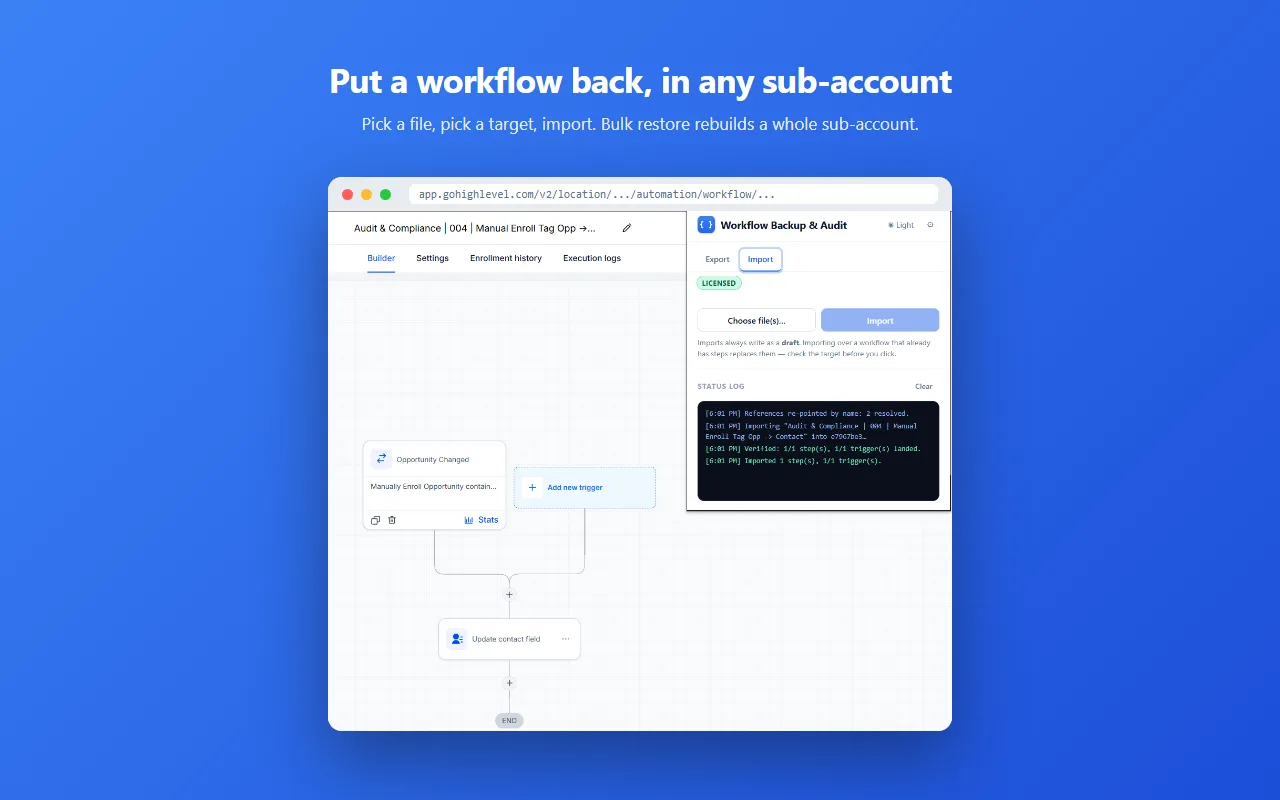
Put a workflow back
Point an export at a new or existing workflow and the steps rebuild in place, in any sub-account you can reach. Imports always write as a draft, and you are asked before anything with content is overwritten.
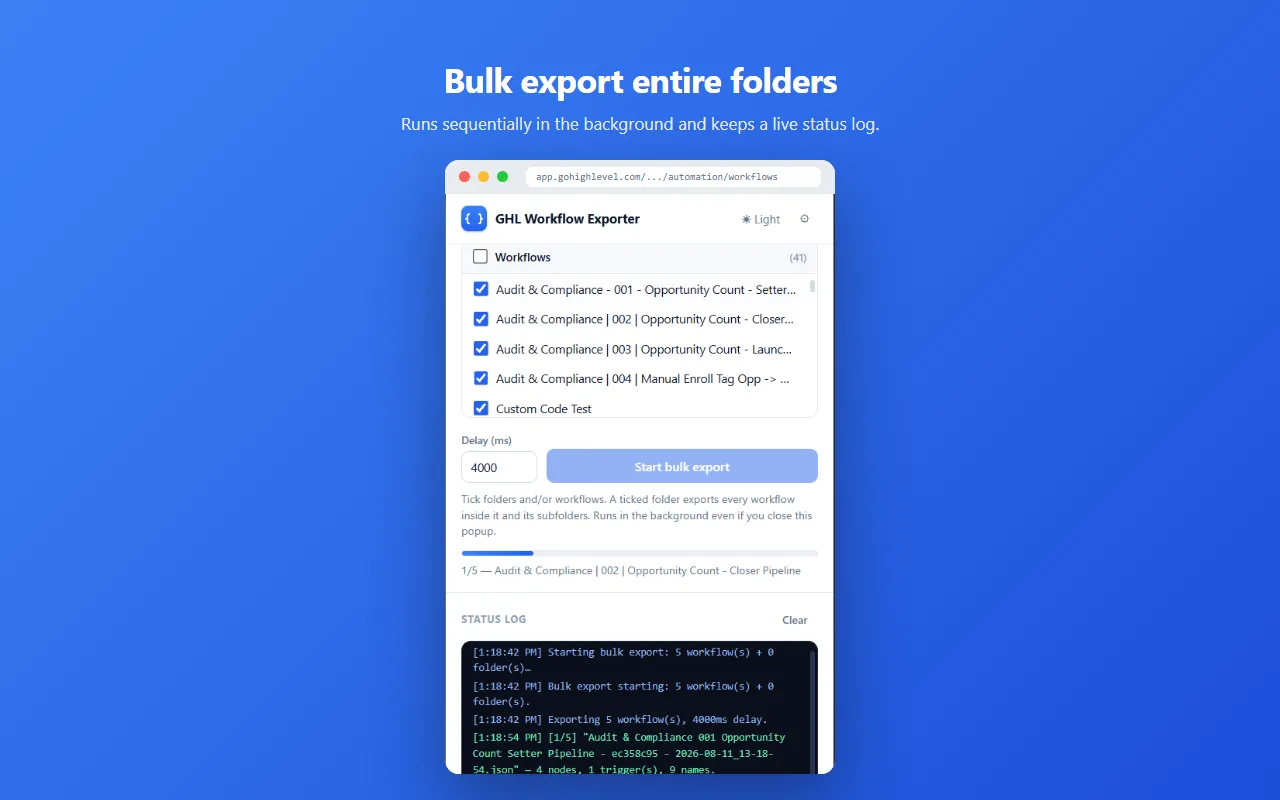
Bulk export, and bulk restore
Pick workflows or whole folders, expanded recursively, and export them in one run. Bulk restore does the reverse: rebuild a whole sub-account from a folder of backups. Both run in the background with a live status log, and keep going if you close the popup.
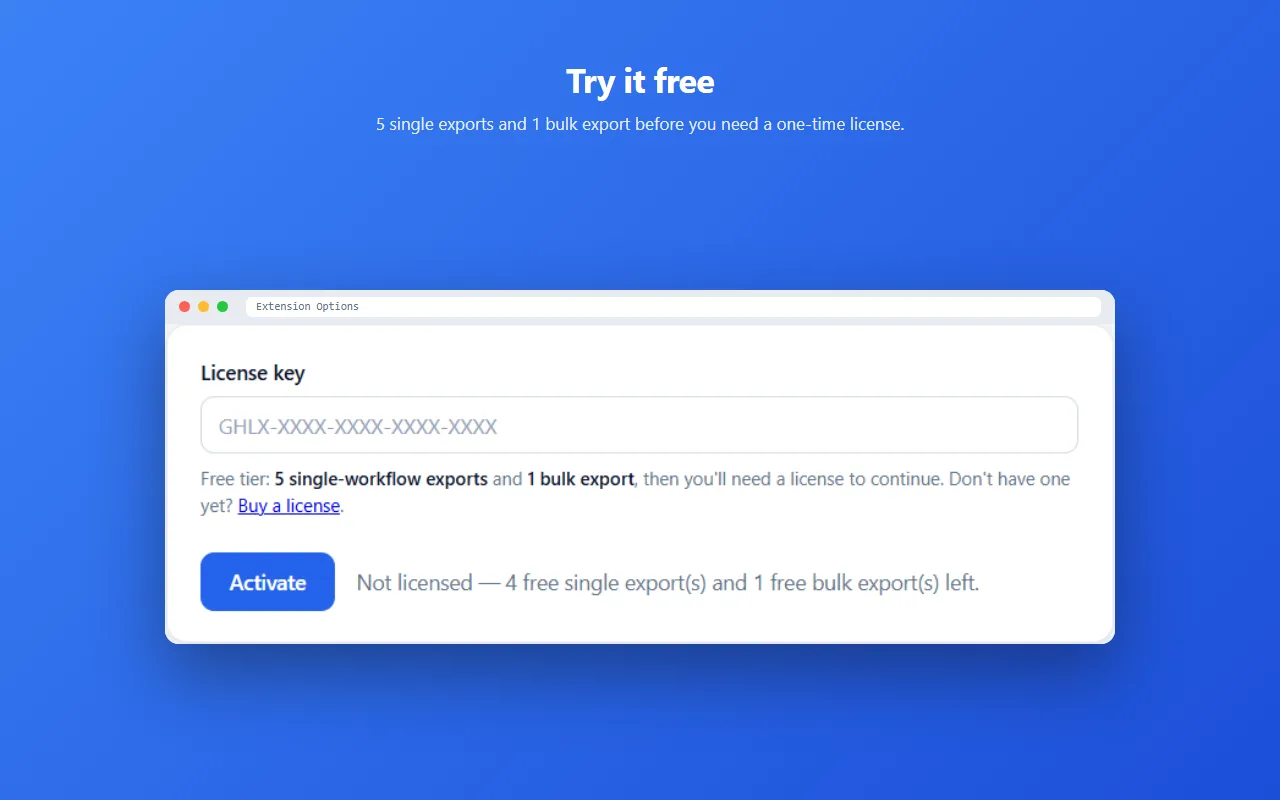
Try it before you pay
5 single exports, 1 bulk export and 5 single imports free. After that, one $19.99 license, forever.
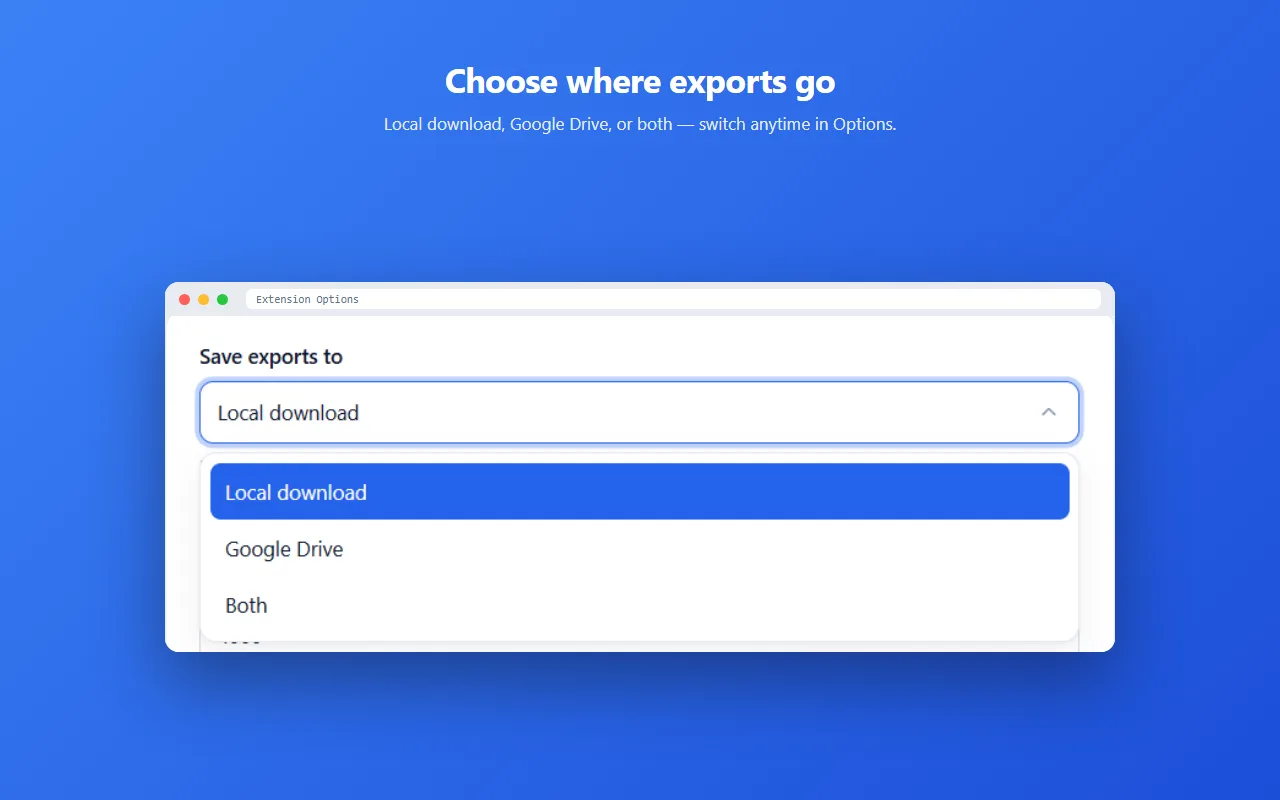
Choose where exports go
Local download, a dedicated folder in your own Google Drive, or both. Switch anytime in Options.
How it works
Open a workflow, click the extension, and the whole configuration lands in your folder as JSON. Not a summary, the actual thing. Point the same file back at a workflow and the steps are rebuilt.
Backing one up
Putting one back
- Every node in the step-tree, with its settings, in the order the workflow runs them.
- Triggers and their filter conditions, plus published or draft status and the folder it lives in.
- Settings-tab metadata: allow re-entry, stop-on-response, timezone, created and updated timestamps.
- Names, not IDs. Pipelines, calendars, calendar groups, custom fields, users and tags all come through as readable names.
- Broken references flagged. Anything that can't be resolved lands in
unresolvedReferenceIds, usually a deleted tag or pipeline the workflow still points at. That list is often the most useful part of an audit. - Versioned filenames like
Workflow Name - a1b2c3 - 2026-08-16_14-30-02.json. Exports never overwrite each other, so a folder of them is a version history.
{
  "workflowId": "...",
  "workflowName": "...",
  "locationId": "...",
  "capturedAt": "2026-07-21T...Z",
  "status": "published",
  "folder": "Client Onboarding",
  "references": {
    "pipelines": { "<id>": "Sales Pipeline" },
    "calendars": { "<id>": "Discovery Call" },
    "tags":      { "<id>": "hot-lead" }
  },
  "unresolvedReferenceIds": [],
  "triggers": [ /* each trigger + its filter conditions */ ],
  "metadata": { /* created, updated, workflow settings */ },
  "nodes":    [ /* the full step-node array */ ]
}
Turning IDs into names is optional, and it uses your own GoHighLevel Private Integration Token, which you enter in Options. Without it you still get the complete step-tree, just with raw IDs in the places GHL stores raw IDs.
Your workflows never touch our servers
The extension runs entirely in your browser. A captured workflow goes to your Downloads folder, or to a folder called “GHL Workflow Exports” in your own Google Drive, or both. Nowhere else.
- No analytics, telemetry, or crash reporting. Nothing about your usage is collected, because nothing is sent anywhere.
- No copy on our side. We never receive your workflow data, your GoHighLevel credentials, or your API token.
- Google Drive access is scoped to
drive.file, so the extension can only see and write the files it creates. The rest of your Drive is invisible to it, and access is only requested if you pick the Drive save destination. - The only thing our server ever sees is a license key, when the extension asks whether it's valid.
Full detail in the Privacy Policy.
$19.99, once
One license key. There's no subscription to cancel and no per-workflow or per-seat charge. One license covers one person, on up to 5 devices.
Free to try: 5 single-workflow exports, 1 bulk export and 5 single-workflow imports, with no payment and no account needed. Bulk restore, which rebuilds a whole sub-account from a folder of backups, needs a license. When the free allowance runs out the extension keeps working, it just stops exporting and importing until a key is activated.
$19.99 USD, once. The amount shown at checkout is the amount you pay.
Indian customers can pay by UPI, netbanking or card; everyone else by card. Same product, same license either way. We never see or store your card details.
How you get it
This is digital software. There is nothing to ship.
Your license key is generated the moment payment succeeds and is emailed to the address you paid with, normally within a minute. It looks like GHLX-XXXX-XXXX-XXXX-XXXX-XXXX. Paste it into the extension's Options page and press Activate. That's the whole process, and it works offline afterwards.
If a key doesn't arrive or won't activate, email unfoldingdimensions@gmail.com and we'll fix it, usually within a few hours.
Buy a license, $19.99
One-time purchase, on up to 5 of your devices. Nothing renews, so there is nothing to cancel.
$19.99
one-time · lifetime · no subscription
- Unlimited exports and restores
- 1 license, up to 5 devices
- Analyse with any AI agent
- Bulk export and bulk restore
- Names resolved, not raw IDs
- Save to Downloads or Drive
- Nothing leaves your browser
Free to try first: 5 single exports, 1 bulk export and 5 single imports. Bulk restore needs a license.
Buying for a team?
A license covers one person. If several people need it, each one needs their own key, so tell us how many and we will sort it out in a single go.
Same price per person, same lifetime license, one conversation instead of five trips through checkout.
Your license key is emailed to you the moment payment succeeds, usually within a minute. Activation takes both the key and the email address you paid with: enter them on the extension's Options page and press Activate.
Key not arrived, or need it resent? Email unfoldingdimensions@gmail.com.
Rather someone else built them?
The extension is the tool. If what you actually want is the workflows built, audited or untangled, I take that on directly: scoped in writing, quoted at a fixed figure, delivered in your own sub-account.
Every engagement still ends with a JSON export of everything touched, so you own the record either way.
Questions
Does this work on sub-accounts?
Yes. It reads whichever workflow builder you have open, in any location you have access to.
Can I put a workflow back, or copy one to another sub-account?
Yes. Restore writes an exported file back into a workflow in any sub-account you can reach, which is also how you copy one between locations. Bulk restore rebuilds a whole sub-account from a folder of backups and needs a license; single restores are in the free tier.
Do I need a GoHighLevel API token?
No. Without one you get the complete step-tree, with raw IDs in the places GHL stores raw IDs. Add your own Private Integration Token in Options and those IDs turn into readable names. The token stays in your browser.
What happens if GoHighLevel changes their interface?
Capture can break, and we ship a fix. The extension reads GHL's own builder data, so it depends on how their app is built. That's the trade-off for getting data their API doesn't expose. It's actively maintained. It's also why you should open an export and check it before treating it as your only backup. The extension flags incomplete captures where it can detect them.
Is my workflow data uploaded anywhere?
No. It goes to your Downloads folder or your own Google Drive, and there's no account, no sync and no analytics attached. See Where your data goes.
Can I use my license on more than one computer?
Yes, on up to 5 devices or browser profiles you personally use. A license covers one person, not a company: if two people need the extension, that is two licenses. Reply to your purchase email and we will sort out additional keys.
What if I lose my key?
Email us from the address you purchased with and we'll resend it.
Is this made by GoHighLevel?
No. It's an independent tool, not affiliated with, endorsed by, or supported by GoHighLevel / HighLevel / LeadConnector.
Is it a subscription?
No. $19.99 once.
Chrome says the extension is not trusted. Is something wrong?
No. Chrome may show a message saying this extension is “not trusted by Enhanced Safe Browsing” while you install it. That notice appears for every newly published extension until the developer account has built up trust with Google, which takes a few months. It is expected, it is not a warning about what this extension does, and you can safely click Continue to install.
What if it doesn't fit my workflow?
Then you get your money back. If the extension does not work for your GoHighLevel account, or does not do what this page said it does, email us within 14 days of buying and we refund it in full. Full detail in the Refund Policy and the Terms of Sale.
There is more on how exporting a GoHighLevel workflow works and when Snapshots aren't backups, along with the rest of the guides.