Guides / Document client automations first
Document your client's GoHighLevel automations before you touch them
The account is live, nothing is written down, and you've been told to “just improve the follow-up”. Capture what the automations actually do first. Here's exactly what to record, a template for doing it by hand, and a faster way that ends with proof instead of prose.
The inherited-account problem
Every inherited GoHighLevel account looks the same inside: dozens of workflows, some published years ago, no documentation, and at least three people who each believe they remember how the follow-up sequence works. Nobody wrote down why a filter exists. The person who built it is gone.
Editing without a record ends badly in one of three ways. Silent breakage: a “simplified” trigger drops a filter that was quietly excluding existing customers, and every one of them gets the welcome email. Client disputes: the client asks whether the reminder always sent twice, and there's no way to answer. Rework: you change something, it breaks something else, and you spend an afternoon reverse-engineering what the original did.
All three come from the same gap: nobody knows what the system said before the change. Fixing that costs minutes. Do it before the first edit, not after the first incident.
What to capture before any change
For each workflow you intend to touch, record:
- Triggers: the event and every filter condition attached to it
- Every branch condition, including the fallback (“else”) paths
- Each action's full settings: email/SMS templates used, webhook URLs, custom values, user notifications
- Wait steps: durations and what they wait for
- Exit criteria and time windows
- Integrations touched: anything that calls or is called from outside the workflow
- Referenced assets: pipelines, calendars, tags, forms the logic depends on
That last bullet matters more than it looks. Half of what breaks during edits isn't in the workflow at all. It's a renamed tag or a deleted calendar the triggers were pointing at.
The manual way (and where it fails)
Open the workflow on one side of your screen and a doc on the other, and transcribe. Use this template:
Workflow name: Appointment Reminder
Date captured: 2026-08-25   By: [name]   Status: Published

TRIGGER
- Event: Form Submitted → form = "Discovery Call Booking"
- Filters: AND tag = "lead" ; NOT tag = "client"

BRANCHES
1. If appointment_status = confirmed
   - Send Email "Confirmation - Discovery Call" (template #12)
2. Else if appointment_status = rescheduled
   - Wait 10 minutes
   - Send SMS "Reschedule Thanks"
3. Else (no status)
   - Wait 1 hour → Send Email "Nudge" → Notify user: Sam

SETTINGS
- Exit criteria: contact tag = "client"
- Time window: Mon-Fri, 9am-5pm, contact timezone
- Webhooks: POST https://hooks.example.com/appointments (prod)
- References: pipeline "Sales", calendar "Discovery Call", tags lead / client / no-show
Be honest about the cost. A five-step flow takes fifteen minutes. A twenty-step workflow with branches takes well over an hour, and the result is stale the moment someone edits anything. Drift creeps in quietly: the doc says the wait is 30 minutes, someone changed it to 15 in March, and now the documentation is confidently wrong. That can be worse than none, because people trust it.
Manual docs are fine as a summary layer. As the record itself, they don't survive contact with a live account.
The automated way: export the step-tree
GHL Workflow Backup & Audit replaces transcription with one click: open the workflow, click the extension icon, and the true step-tree lands on your machine as JSON. Every trigger filter, branch condition, wait step and setting appears exactly as the builder holds them, with internal IDs resolved to readable names (real tag names, real template names). Nothing is summarised, because nothing is retyped by a human.
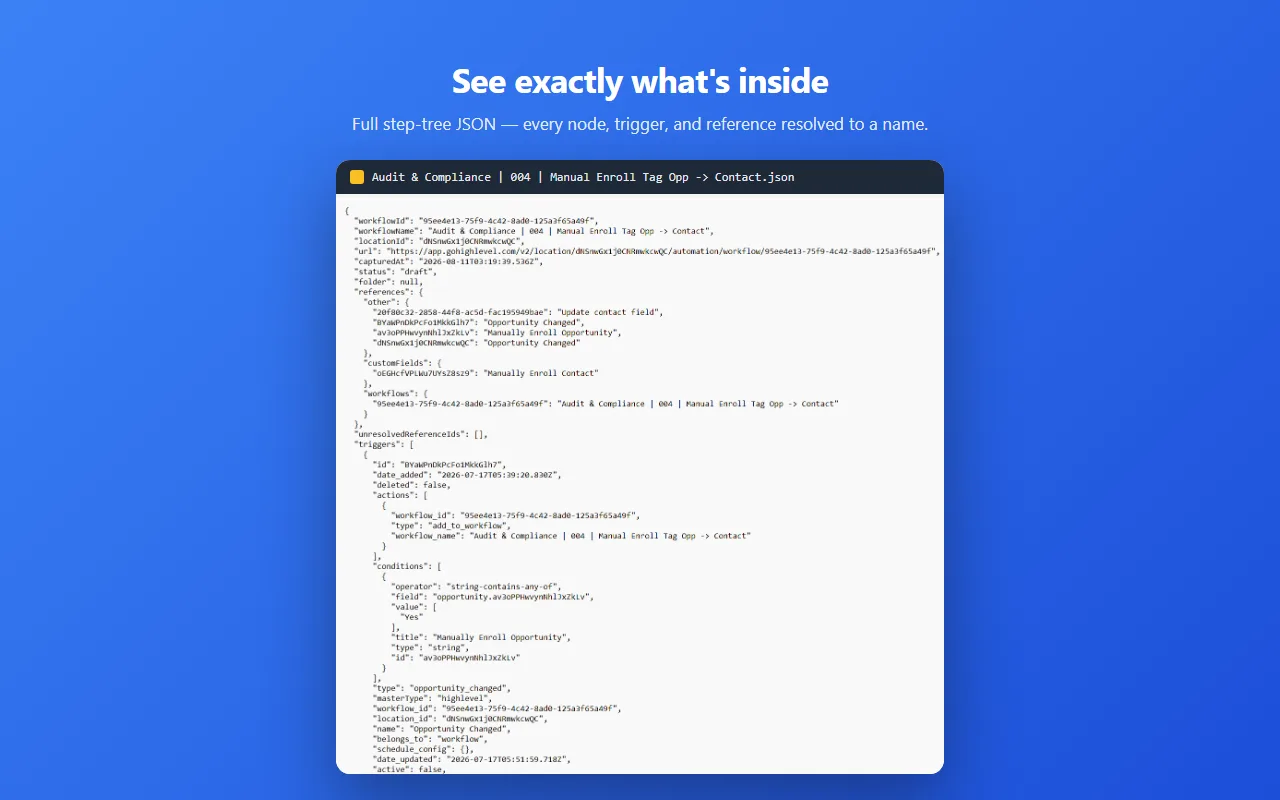
Three habits make this a documentation system rather than a pile of files:
- One export per change date, so the file set is a version history.
- Diff two exports to see exactly what changed between March and today: which filter moved, which wait got shorter, which webhook was repointed. That diff is also what you show the client when they ask what you touched.
- For an onboarding audit of an inherited account, bulk-export whole folders recursively in one run and read the whole library before touching any of it.
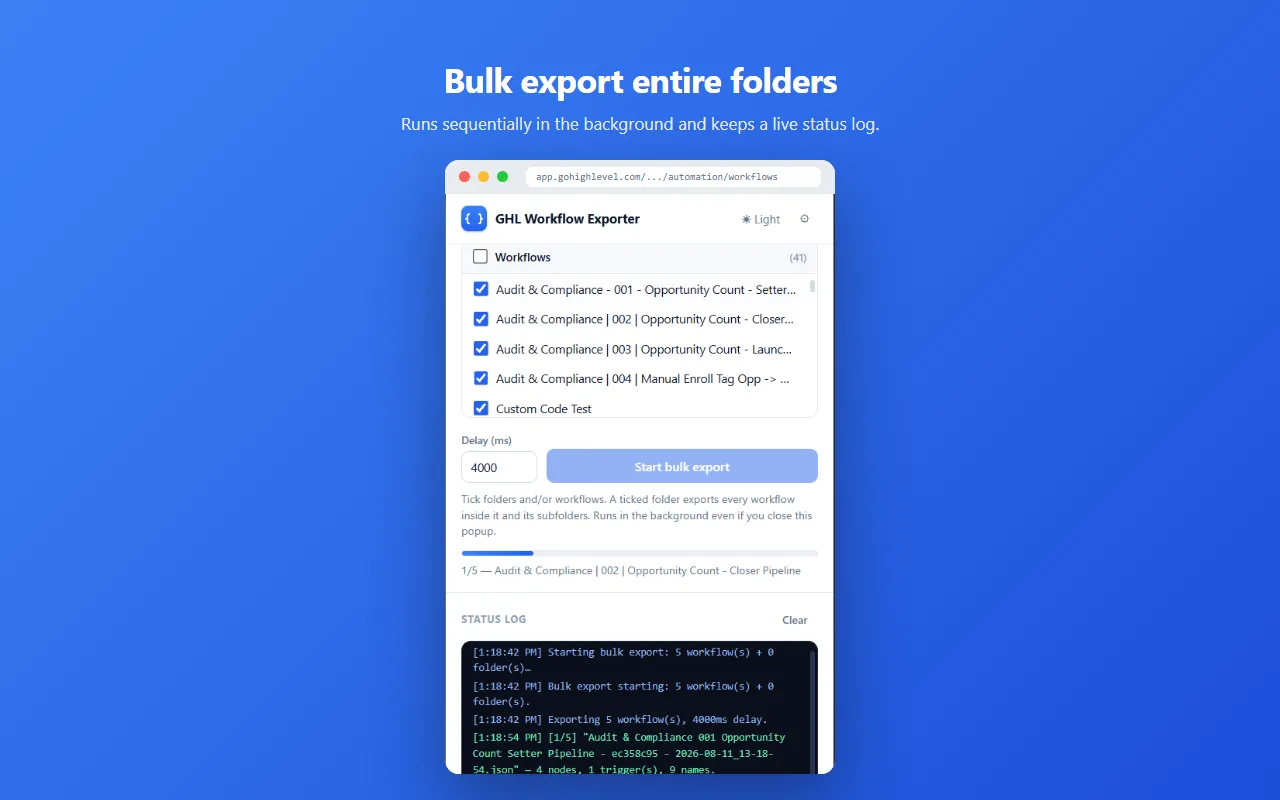
Be clear about what an export is. Since GoHighLevel offers no native workflow export, this reads the builder data and writes it to a file. That file is the record; putting it back is a separate, deliberate step. The same extension can restore it into a workflow, and asks before it overwrites one that already has steps. How the three export routes compare: screenshots vs Snapshots vs JSON.
A cadence that sticks
- Export before every change, not weekly, not when you remember. Ten seconds, and it's the difference between “something changed” and knowing exactly what.
- Name files
WorkflowName-date.json. The extension already does this; resist renaming. - Store them in the client's own Drive folder, next to their other assets, not scattered across your downloads.
- Attach the relevant JSON to your change-summary email. The client gets proof of before and after without asking.
Turn the habit into a service
Documentation pays for itself the first time it prevents a bad edit. And once you're doing it anyway, a fixed-price “automation audit” is the natural packaging: document everything, flag risks, deliver the archive.
FAQ
How do I document GoHighLevel automations?
Record triggers and filters, every branch condition, full action settings, waits, exit criteria and referenced assets. Manual docs drift; exporting the step-tree as JSON keeps the record exact.
When should I document a client’s workflows?
Day one of any inherited account, before every meaningful change, and on a schedule for accounts nobody watches. Date the files so exports become history.
Can I prove to a client what changed in their workflow?
Yes. Diff two dated JSON exports and the changes are exact: which filter moved, which wait changed, which webhook was repointed, and when.
GHL Workflow Backup & Audit is an independent product. It is not affiliated with, endorsed by, or connected to GoHighLevel / LeadConnector.
More on this: all guides